Short answer: yes. OpenAI's own account switcher lets you stay signed in to two ChatGPT accounts and keeps their chats, memory, history, billing and workspaces separate, but only on the web version. That doesn't help if you build real projects in the desktop app, where each account needs its own copy of the app. Sessions Pro for Codex sets those up: each account is its own app on a Mac, or its own window on Windows.
Free 1-hour preview once you've signed in to a profile. For macOS 14 or later, or Windows 10 or 11, with the ChatGPT desktop app.
What OpenAI says
- Switching is supported. OpenAI's help center describes staying signed in to two accounts on ChatGPT web and switching between them.
- Accounts stay separate. Switching doesn't merge chats, memory, history, billing or workspaces.
- Work accounts may be managed. Your organization can control whether account switching is available for its workspace.
- Accounts are personal. OpenAI's sharing policy says an account is for the person who created it; someone else should sign up for their own.
What stays separate per account?
- Chats and memory. Each account has its own conversations, projects and memory.
- Plan and billing. A seat in your company's workspace and your own Plus plan each have their own plan and billing.
- Codex. Codex threads, projects and the CLI login belong to the account, through its own
~/.codex.
How do you use both at once?
- On the web: use the account switcher on chatgpt.com. Two accounts, web version only, so it doesn't help with projects in the desktop app.
- In the Codex CLI:
give the second account its own folder. Setup and aliases.CODEX_HOME=~/.codex-work codex - In the desktop app: each account needs its own copy of the app with its own data folder. There's a free Terminal way on a Mac (our guide), or let Sessions Pro for Codex set it up.
Both accounts, side by side.
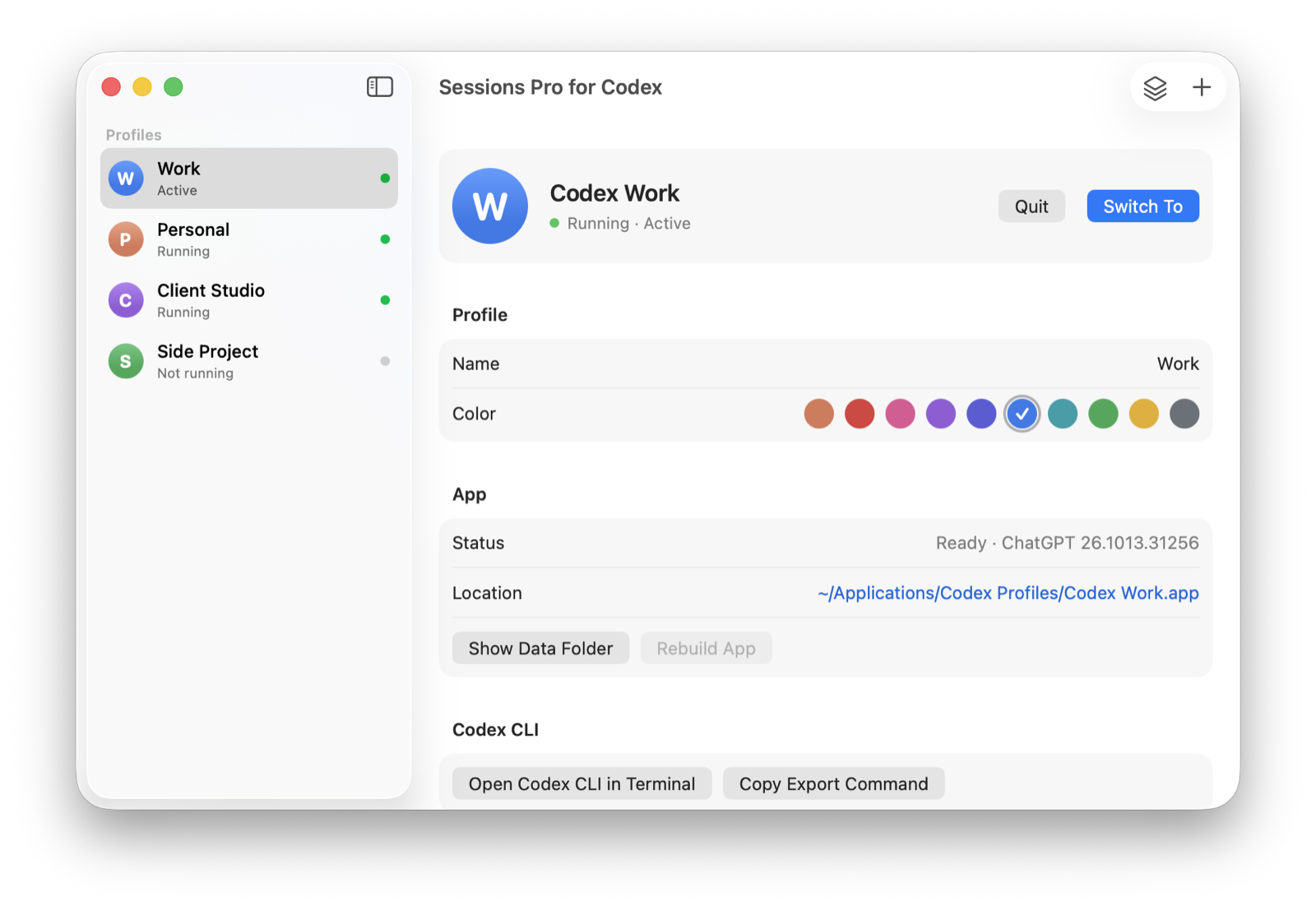
Sessions Pro for Codex runs the ChatGPT app once per account: its own app with its own Dock icon on a Mac, its own titled window on Windows. Each keeps its own login, chats, Codex threads, projects, pins and Codex CLI. It can start from your current ChatGPT, so your existing account becomes the first profile with everything in it.
We make Sessions Pro for Codex.
 Sessions Pro for Codex
Free 1-hour preview · 14-day refund · 2 computers, Mac or PC
Every method compared: the best ways to run multiple Codex accounts.
FAQ
Can I have two ChatGPT accounts?
Yes. OpenAI's help center describes switching between two signed-in accounts on ChatGPT web, with chats, memory, billing and workspaces kept separate.
Can I use two ChatGPT accounts in the desktop app at the same time?
Not in one copy of the app. OpenAI's account switching only works on the web version, not in Codex desktop, so it doesn't help if you build real projects in the desktop app. Each account needs its own copy of the app with its own data folder, which is what Sessions Pro for Codex sets up.
Is it allowed to use multiple ChatGPT accounts?
Sessions Pro for Codex runs the official ChatGPT app with accounts you already have, such as a work account and a personal one. It doesn't change how ChatGPT or Codex work, and OpenAI's terms apply to each account. Use it for accounts you're allowed to have, not to get around usage limits.
Sessions Pro for Codex is made by LEX GLOBAL IT S.R.L. and is not affiliated with, endorsed by or sponsored by OpenAI. It runs the official ChatGPT app with accounts you already have, and OpenAI's terms apply to each account. ChatGPT and Codex are trademarks of OpenAI.