Short answer: ChatGPT's account switcher keeps two accounts signed in, but only on the web version. That doesn't help if you build real projects in the desktop app, where each account needs its own copy of the app with its own data folder, and for the Codex CLI its own CODEX_HOME. Sessions Pro for Codex makes each account its own app on a Mac, or its own window on Windows, all signed in at once.
Free 1-hour preview once you've signed in to a profile. For macOS 14 or later, or Windows 10 or 11, with the ChatGPT desktop app.
Why does switching mean logging out?
The ChatGPT desktop app keeps your login in its data folder, and its Codex data (login, threads, projects) in ~/.codex, the same folder the Codex CLI uses. One folder, one login. Signing in to another account replaces the first, so each switch is sign out, sign in, and find your Codex thread again.
Three places, three answers
- On chatgpt.com. The built-in account switcher keeps two accounts signed in and swaps between them. Chats, memory, billing and workspaces stay separate. But it only works on the web version, which doesn't help if you build real projects in the desktop app.
- In the Codex CLI. Give the second account its own folder:
CODEX_HOME=~/.codex-work codex. The full setup. - In the desktop app. Each account needs its own copy of the app with its own data folder and its own
CODEX_HOME.
What you keep per account
With a separate copy per account, nothing crosses over: each keeps its own login, chats, Codex threads, projects and pins, and its own Codex CLI. Logging out of one doesn't touch the others, unlike a shared ~/.codex, where codex logout signs out everything.
Every account, its own app.
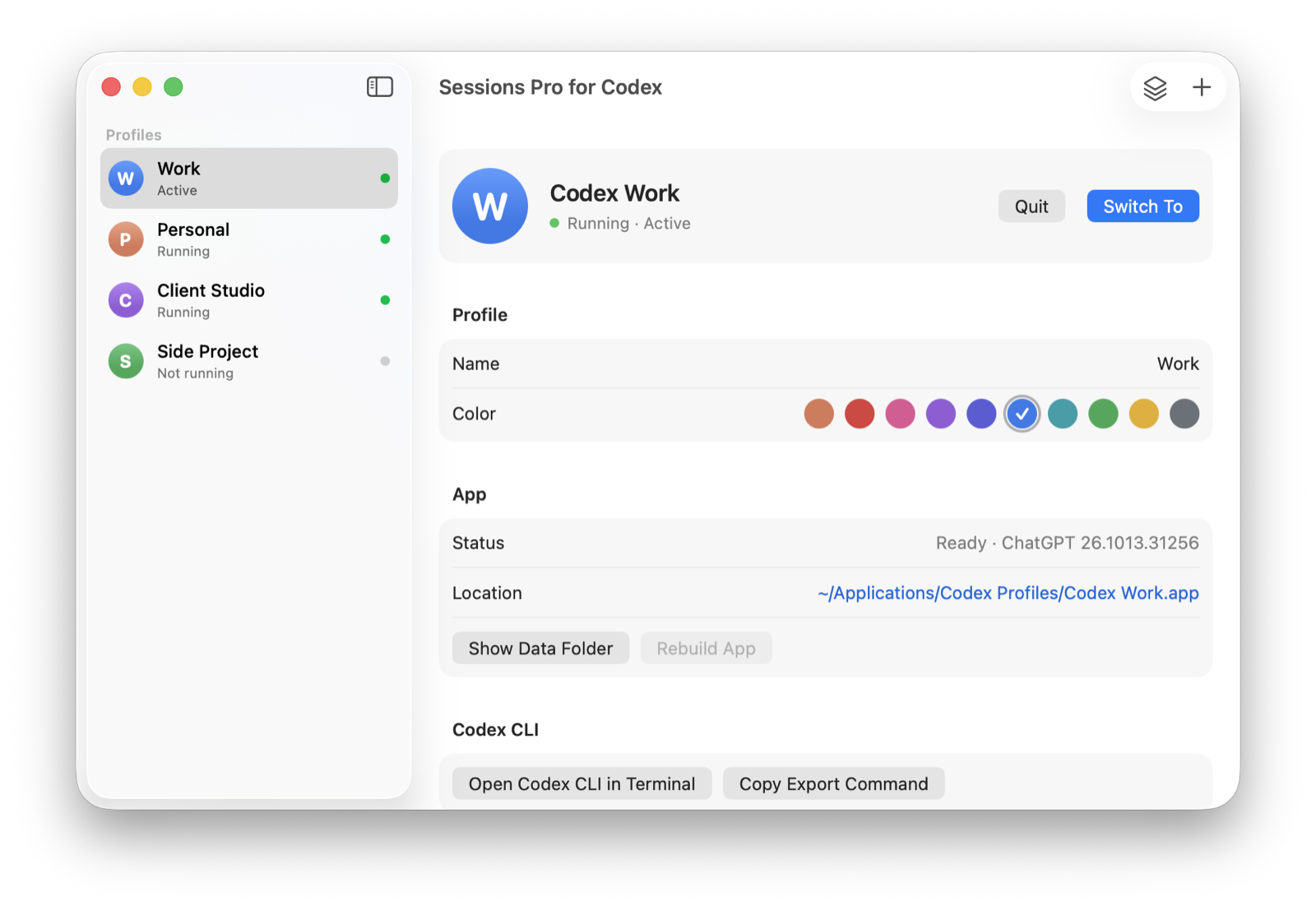
Sessions Pro for Codex runs the ChatGPT app you already have once per account. On a Mac each profile is a real app with its own Dock icon, colored badge and menu bar switcher. On Windows each runs in its own window, titled with its profile name, with its own taskbar button and a tray switcher.
Sign-in opens in a private browser window, so each profile asks which account to use. "Codex CLI in Terminal" opens the CLI with that profile's own CODEX_HOME.
| Sign out and in | Web switcher | Sessions Pro for Codex | |
|---|---|---|---|
| Accounts signed in at once | 1 | 2 | Unlimited |
| Desktop app per account | ✕ | ✕ Web only | ✓ |
| Codex threads per account | One at a time | Web only | ✓ |
| Codex CLI per account | ✕ | ✕ | ✓ |
| Cost | Free | Free | $24.99 one-time |
We make Sessions Pro for Codex.
 Sessions Pro for Codex
Free 1-hour preview · 14-day refund · 2 computers, Mac or PC
Two people sharing one computer instead? See ChatGPT for multiple users on one computer.
FAQ
Can I stay signed in to two ChatGPT accounts at once?
On chatgpt.com, yes: the built-in account switcher keeps two accounts signed in. In the desktop app, each account needs its own copy of the app with its own data folder, and in the Codex CLI its own CODEX_HOME.
Does ChatGPT's account switcher work in the Codex desktop app?
No. OpenAI's help article says account switching only works on ChatGPT web, not in Codex desktop or the mobile apps. If you build real projects in the desktop app, each account needs its own copy of the app.
Is it allowed to use multiple ChatGPT accounts?
Sessions Pro for Codex runs the official ChatGPT app with accounts you already have, such as a work account and a personal one. It doesn't change how ChatGPT or Codex work, and OpenAI's terms apply to each account. Use it for accounts you're allowed to have, not to get around usage limits.
Sessions Pro for Codex is made by LEX GLOBAL IT S.R.L. and is not affiliated with, endorsed by or sponsored by OpenAI. It runs the official ChatGPT app with accounts you already have, and OpenAI's terms apply to each account. ChatGPT and Codex are trademarks of OpenAI.