Short answer: Codex signs in one account per data folder, so the second account needs its own folder. For the Codex CLI that is one line on a Mac or a PC: start it with its own CODEX_HOME. For the ChatGPT desktop app, where Codex lives now, each account needs its own copy of the app: there's a Terminal command on a Mac, and on Windows only an unofficial script that can break with an update. Sessions Pro for Codex does it for you on both systems: install it, add your accounts, and every one is open at once as its own app.
Free 1-hour preview once you've signed in to a profile. For macOS 14 or later, or Windows 10 or 11, with the ChatGPT desktop app.
Why can't two Codex accounts share one install?
Codex keeps its login, threads and settings in one folder: ~/.codex on a Mac, %USERPROFILE%\.codex on Windows. The Codex CLI and the ChatGPT desktop app both read it. One folder holds one login, so signing in to a second account replaces the first, and codex logout signs out everything that shares it.
Two accounts at once means two folders. How you get there depends on whether you use the CLI, the desktop app or both.
Two Codex accounts on a Mac
- The Codex CLI:
make a folder for the second account and start Codex with it. Sign in when it asks, and leave your first Terminal window as it is. Aliases and common errors.mkdir -p ~/.codex-work CODEX_HOME=~/.codex-work codex - The ChatGPT desktop app:
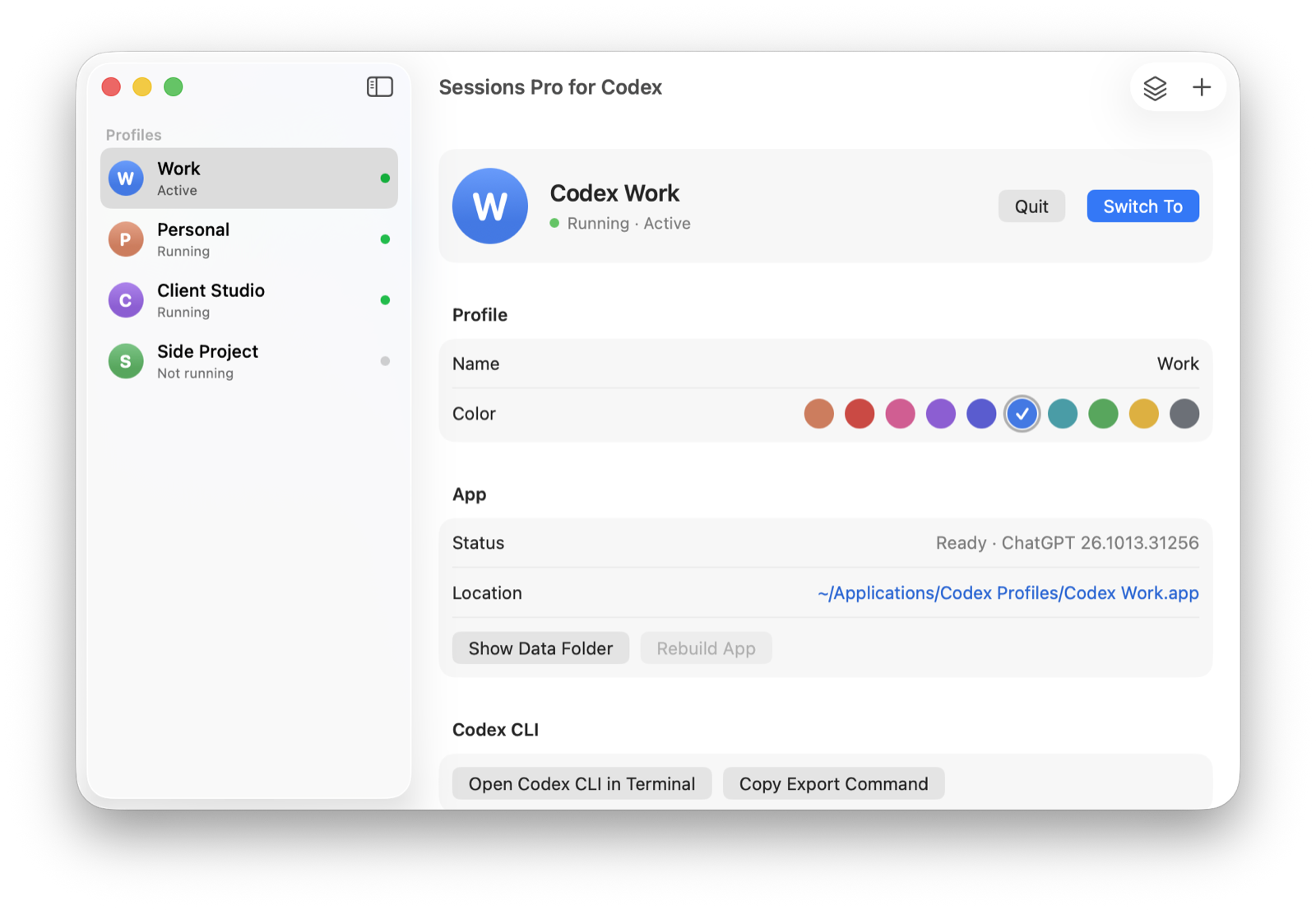
start a second copy with its own folders. It opens next to the first one, signed out, ready for the other account. What each part does, and how to keep it.mkdir -p "$HOME/.codex-work" "$HOME/Library/Application Support/Codex-Work" open -n \ --env CODEX_HOME="$HOME/.codex-work" \ --env CODEX_ELECTRON_USER_DATA_PATH="$HOME/Library/Application Support/Codex-Work" \ /Applications/ChatGPT.app \ --args --user-data-dir="$HOME/Library/Application Support/Codex-Work" - Or skip the Terminal: Sessions Pro for Codex makes each account a real Mac app with its own Dock icon, colored badge and Codex CLI. No commands to remember, and both accounts are one click away. Download it free for macOS.
Two Codex accounts on Windows
- The Codex CLI:
in PowerShell, make a folder for the second account and point Codex at it for that window. cmd, Windows Terminal profiles and WSL.New-Item -ItemType Directory -Force "$HOME\.codex-work" | Out-Null $env:CODEX_HOME = "$HOME\.codex-work" codex - The ChatGPT desktop app: it comes from the Microsoft Store, and Store apps live in a protected folder, so you can't copy it the way you can on a Mac. What's left is an unofficial PowerShell script that its own author warns is version-sensitive, a second Windows user that hides your other desktop, or the web version, which isn't the desktop app.
- Or keep both on one desktop: Sessions Pro for Codex opens each account in its own ChatGPT window, titled with its name, all signed in, with nothing to script. Download it for Windows (free to try), or see how it works on Windows.
Both accounts, both systems.
Sessions Pro for Codex runs the ChatGPT app you already have once per account. On a Mac each account is its own app with a Dock icon and a colored badge; on Windows each runs in its own window with its own taskbar button. Both stay signed in and open at the same time.
Each account keeps its own login, chats, Codex threads, projects and pins, and "Codex CLI in Terminal" opens the CLI on the same account. One license covers 2 computers in any mix of Mac and PC. Try it free for an hour once a profile is signed in; then it's $15 once for two computers, Mac or PC, with a 14-day refund.
| By hand on a Mac | By hand on Windows | Sessions Pro for Codex | |
|---|---|---|---|
| Two Codex CLI accounts at once | ✓ CODEX_HOME | ✓ CODEX_HOME | ✓ |
| Two desktop app accounts at once | A Terminal command each time | Unofficial script | ✓ |
| Own Dock icon or taskbar button | ✕ | ✕ | ✓ |
| Usage for every account | ✕ | ✕ | ✓ Menu bar or tray |
| Cost | Free | Free | $15 one-time |
Example accounts. We make Sessions Pro for Codex.
Is it allowed to run two accounts?
Sessions Pro for Codex runs the official ChatGPT app with accounts you already have, such as a work account and a personal one. It doesn't change how ChatGPT or Codex work, and OpenAI's terms apply to each account. Use it for accounts you're allowed to have, not to get around usage limits. The longer answer: are multiple Codex accounts allowed?
 Sessions Pro for Codex
Free 1-hour preview · 14-day refund · 2 computers, Mac or PC
Want every option side by side, including scripts and a second macOS user? See the best ways to run multiple Codex accounts.
FAQ
Can I run two Codex accounts at the same time?
Yes. Each account needs its own data folder. In the Codex CLI, start the second account with its own CODEX_HOME. In the ChatGPT desktop app, each account needs its own copy of the app, which you can start from Terminal on a Mac or set up with Sessions Pro for Codex on a Mac or a PC.
Does the same method work on Mac and Windows?
For the Codex CLI, yes: CODEX_HOME works the same way on both. For the desktop app, no: a Mac can start a second copy from Terminal, while the Windows app comes from the Microsoft Store and can't be copied; the only by-hand route is an unofficial script that can break with an update. Sessions Pro for Codex works the same way on both.
Will the two accounts share threads or settings?
No. Each folder has its own login, threads and config.toml. If you want the same settings or MCP servers in both, copy config.toml across; never copy auth.json, which is the login.
Do I need two computers or two user accounts?
No. Two folders on the same user account are enough. A second macOS or Windows user also works, but you see one desktop at a time.
Is it allowed to use two Codex accounts?
Sessions Pro for Codex runs the official ChatGPT app with accounts you already have, such as a work account and a personal one. It doesn't change how ChatGPT or Codex work, and OpenAI's terms apply to each account. Use it for accounts you're allowed to have, not to get around usage limits.
Sessions Pro for Codex is made by LEX GLOBAL IT S.R.L. and is not affiliated with, endorsed by or sponsored by OpenAI. It runs the official ChatGPT app with accounts you already have, and OpenAI's terms apply to each account. ChatGPT and Codex are trademarks of OpenAI.